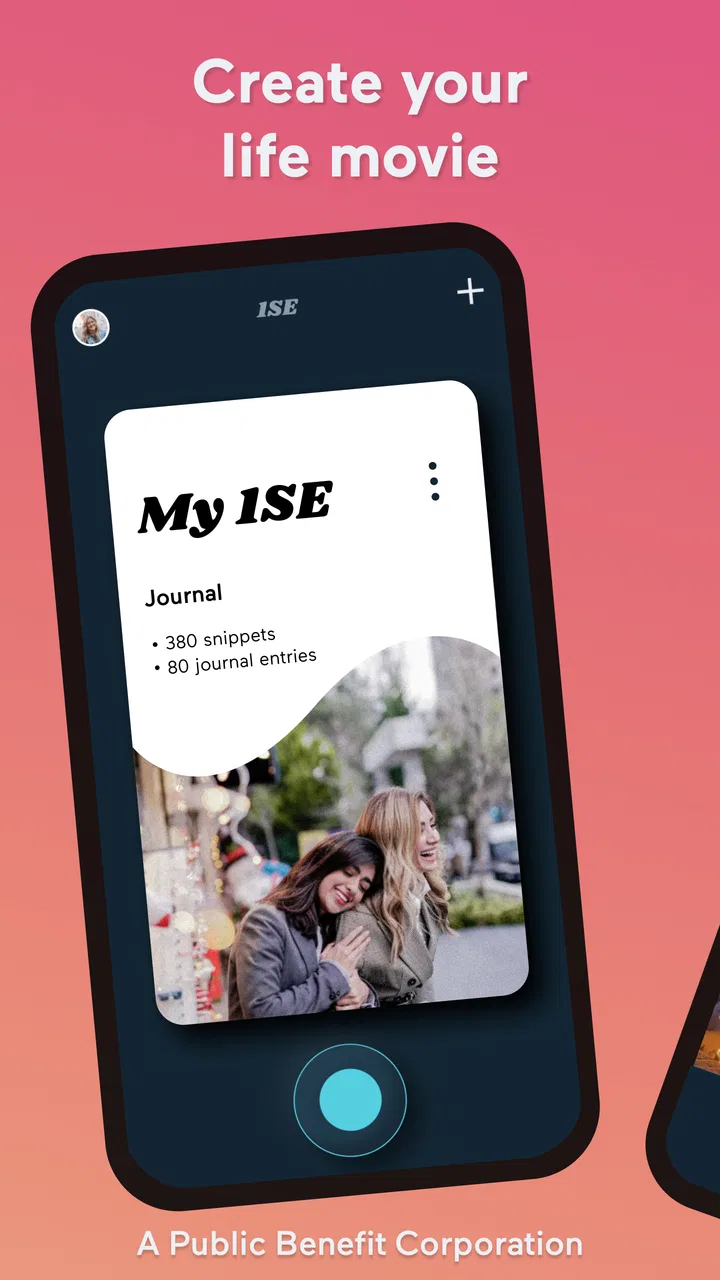
1 Second Everyday Video Diary
- 4.2
- Rating
- 1.00M
- Installs
- Free
- Price

 Analysis by App-foxy
I like apps that turn a good intention into something I can actually keep doing, and 1 Second Everyday Video Diary takes that approach seriously. Instead of asking me to film an entire day or write a long journal entry, it gives me a small daily video habit: save a brief moment, then build those moments into a visual record of life. That sounds simple, but the simplicity is exactly what makes the app useful.
After using it as a video-journaling tool, I found that its real appeal is not dramatic editing. It is the way it lowers the effort needed to remember ordinary days. A quick clip of a morning walk, a meal, a child learning something new, or an unremarkable commute can become meaningful when viewed beside weeks of other small scenes. The result feels more personal than a gallery full of disconnected photos.
It is a free app in the Video Players & Editors category, made by 1 Second Everyday, P.B.C. The app is rated for Everyone, and its current version is 4.13.4. With a 4.1 average from around 18 thousand ratings and more than a million installs, it has clearly found an audience among people who want a low-pressure way to preserve memories.
You May Also Like

 Blood Strike: 2.5 Anniversary
Blood Strike’s Loadouts Turn Every Drop Into a Tactical Gamble
A close look at Blood Strike’s custom loadouts: how fast access to signature weapons reshapes its battle royale rhythm, rewards preparation, and narrows the gap between fights.

 Pandora - Music & Podcasts
Pandora’s Music Is Easy to Start, but Harder to Recover
Pandora’s strength is its low-effort path from a seed to a station. Its weak spot is how much confidence it asks you to place in connection, setup, and quiet recovery.

 8 Ball Pool
 Is Built on Rivalries, Rematches, and Routine
A close look at the rivalries, rematches, shared routines, and unanswered safety questions that turn a quick pool match into a persistent mobile community.

 Samsung Music
’s Quiet Strength Is Playing What You Already Own
Its reach comes less from spectacle than from dependable access to a personal library. That simplicity is both the app’s strongest retention engine and its ceiling.

 AccuWeather: Weather Radar
AccuWeather Review: A Quick, Clear Forecast for Everyday Decisions
For everyday plans, the best forecast is the one you can understand quickly. AccuWeather makes rain timing, radar, and local conditions easy to act on, with a few trade-offs.

 Hill Climb Racing
Why Hill Climb Racing Still Turns Crashes Into One More Run
A tiny car, a bumpy hill and one more upgrade: Hill Climb Racing keeps resurfacing because its simple chaos makes every near-miss feel personal.
More From Our News Desk



How the daily video habit works in real life
I focus on the small decisions that make this kind of diary sustainable: when I capture a moment, how I choose among clips, and how I keep the routine from becoming another task. A useful starting point is to make the daily entry forgiving rather than perfect, especially when plans change or a day gets busy.
Start with one moment, not a perfect day
The most important change in mindset is to stop treating each entry like a miniature film project. I get better results when I decide that one honest moment is enough. The clip does not need a clever subject, good lighting, or a polished performance. In fact, ordinary footage often makes the finished diary feel more genuine.
A realistic routine might look like this: I notice something worth remembering during the day, record a short clip, and later place it in the appropriate day of the diary. On busy days, the clip can be a quiet detail rather than an event. A dog waiting by the door, steam rising from dinner, or a few seconds from a family conversation can carry more emotional weight later than a carefully staged shot.
The app’s central idea is especially helpful for people who have tried conventional journaling and abandoned it. Written journals require finding the right words, while full-length video diaries demand time, storage, and a willingness to appear on camera. This workflow asks for much less. The trade-off is that the memory is visual and brief, so it will not replace detailed writing for people who want to record thoughts, context, or long stories.
I also recommend choosing a consistent point in the day to check whether I have captured something. That does not mean forcing myself to record at exactly the same time. It simply creates a reminder in my routine. For example, I might think about the day while putting my phone on charge, then select a clip before going to sleep. The habit becomes easier when it is attached to something I already do.
Choosing clips that still matter later
When several clips are available, I try to choose the one that says something about the day rather than the one that looks most impressive. A beautiful sunset can be worth saving, but a short clip of a friend laughing may bring back more detail about how the day felt. This is one of the app’s quiet strengths: it encourages me to edit my own memory instead of simply dumping every recording into a camera roll.
There is also a practical reason to avoid recording everything. If I collect too many possible moments, reviewing them becomes another chore. A single deliberate choice makes the diary easier to maintain and the eventual compilation easier to watch. Experienced use is less about finding a hidden trick and more about building a repeatable decision: capture freely, select carefully, and move on.
For family use, I would set a simple rule before starting. One person can choose the moment on one day, and another person can choose it the next. That prevents the diary from becoming focused only on the loudest or most photogenic member of the household. It also turns the process into a shared ritual rather than a private task managed by one person.
Why the finished diary feels different from a camera roll
A camera roll is organized around individual files. A video diary is organized around continuity. When I look through random phone footage, I usually remember the clip but not the surrounding period of my life. A sequence of selected daily moments gives those fragments a rhythm, making gradual changes easier to notice.
This is where the app compares well with ordinary alternatives. A notes app is better for detailed thoughts, a standard camera app is better for unrestricted recording, and a conventional video editor is better for complex projects. This app sits between them: it gives a clear purpose to small videos without demanding the timeline work associated with serious editing software.
That focus can also feel restrictive. Someone who wants multiple tracks, elaborate transitions, precise sound mixing, or a highly controlled cinematic edit will probably be happier with a dedicated editor. The diary format is valuable because it narrows the task, not because it offers every editing possibility.
Settings I would check before building a long archive
Before committing to a long-running diary, I would spend a few minutes reviewing the app’s available settings and the way it handles the daily workflow. The useful question is not “which option looks advanced?” but “which choice will remove friction from the habit I actually plan to keep?” A setting that saves a few taps can matter more than a decorative option I will never use.
I would first check the capture and selection behavior so I understand how a clip becomes part of a particular day. This is important when I record something earlier but add it later. A reliable habit depends on knowing whether I am recording, importing, trimming, or confirming an entry at each stage. If I am tired at night, uncertainty here is enough to make me postpone the task.
I would also review any available reminders or notification controls and keep them restrained. A reminder can protect the habit, but too many notifications turn a personal project into an obligation. My preference is one gentle prompt at a time when I am usually free, followed by a quick decision. If the app allows a reminder to be adjusted, I would align it with an existing routine rather than the most convenient moment for the phone.
Another setting worth considering is how the app presents completed memories. I prefer a view that makes the sequence easy to scan, because the point is not merely to store clips but to revisit them. If I am creating a diary for a trip, a move, or a child’s first year, I would make sure the organization remains understandable before adding dozens of entries.
Because the app includes optional purchases ranging from $4.49 to $249.99 per item, I would examine the purchase screen carefully before assuming that every tool is included in the free experience. The app itself is free to install, which makes it easy to begin without a commitment, but a careful user should decide which extras are genuinely useful rather than unlocking features simply because they are available.
A faster pattern for busy days
My favorite practical pattern is the “capture now, curate later” approach. When a moment appears, I record it without trying to make an immediate editing decision. Later, I return to the day and choose the strongest clip. This separates two kinds of attention: being present while filming and being selective while organizing.
That separation is particularly useful during travel. If I stop to decide whether every clip deserves a place in the diary, I spend too much of the trip looking at the screen. Instead, I record short possibilities during the day, then choose one that represents the day when I have a quiet moment. The final diary becomes more balanced because it includes small transitions, not only the obvious landmark or group photo.
For workdays, I use a different pattern: one clip from the environment and one clip from a personal moment, then I keep only the one that feels more distinctive. This prevents the diary from becoming a repetitive record of desks, roads, and coffee cups. It also creates a useful fallback for days when nothing dramatic happens.
Shortcuts outside the app can help too, as long as they do not add complexity. I keep the app easy to reach on my phone and make sure the camera is ready before an event passes. The best shortcut is often physical rather than technical: decide in advance that a few seconds is enough. Waiting for a perfect composition is the main reason a daily clip never gets recorded.
Use the diary for projects, not only memories
The daily format works for more than personal nostalgia. I can use it to observe a renovation, a creative project, a fitness routine, a garden, or a child’s changing interests. The key is to record the same subject from time to time while allowing the surrounding life to remain visible.
For a home project, I might capture the state of one room whenever meaningful progress happens. For a creative project, a quick clip of the work in progress can show decisions that finished photos hide. For a personal routine, the diary can reveal consistency and change without turning the process into a spreadsheet.
There is a trade-off here. The app is good at preserving a sequence of moments, but it is not a replacement for structured project management. I would not rely on it for measurements, task assignments, detailed logs, or evidence that needs exact written context. It is strongest as a visual companion to those systems, not as a complete record of them.
Where experienced use reaches its limits
The app’s narrow focus is both its advantage and its boundary. It helps me maintain a small daily video journal, but it cannot make an inconsistent habit consistent by itself. If I regularly forget to record, the finished timeline will have gaps. Those gaps are not necessarily a failure, but anyone expecting an uninterrupted documentary should prepare for missed days.
Another limitation is emotional rather than technical: selecting one moment can feel reductive. A difficult day may contain several important experiences, and a single clip may not explain any of them. On those days, I might keep the visual entry but add context elsewhere, such as a note or private journal. Trying to force every feeling into a tiny video would make the format less honest.
Storage and attention are also worth considering. Even brief videos accumulate over time, and a long archive can become harder to manage than a handful of favorite clips. I would periodically review the diary, remove accidental captures, and keep the sequence focused. This maintenance is easy to ignore at the beginning, but it makes future viewing much more enjoyable.
People who mainly want to make polished social videos should probably choose another tool. A dedicated editor will offer more control over pacing, titles, audio, effects, and export decisions. Likewise, people who prefer photography may find a photo journal more natural. The app’s value depends on enjoying the specific discipline of moving images and daily continuity.
Who should use it and who should skip it
I would recommend this app to someone who has many photos but rarely revisits them, someone starting a family archive, or someone who wants to remember a period without narrating every detail. It is also a good fit for people who dislike the pressure of making a “real” video. The tiny daily commitment makes the project approachable.
It is less suitable for users who need professional editing controls, collaborative production tools, or a detailed written record. It may also frustrate anyone who expects the app to automatically decide what matters. The most meaningful results still come from the user’s choices: noticing a moment, recording it clearly enough, and returning to complete the diary.
The Everyone age rating makes it approachable for a broad household, although I would still teach younger users to ask before filming other people. That is not a special feature of this app; it is simply good video etiquette. A family diary becomes more enjoyable when everyone understands that being included should feel comfortable, not automatic.
My verdict after building a repeatable routine
What I appreciate most is the app’s ability to make memory-keeping feel manageable. It does not ask me to become a filmmaker. It asks me to pay attention once a day, make a small selection, and let the accumulation do the emotional work. That is a modest promise, but it is one the format supports well.
The free starting point is helpful for testing whether the habit suits me, while the optional in-app purchases mean I would review the available upgrades before spending money. I would not pay simply because I had already invested time in the diary; I would pay only if a particular extra solved a problem I regularly encountered.
In the end, 1 Second Everyday Video Diary is best understood as a habit tool with video at its center, not as a full replacement for a camera, journal, or professional editor. My advice is to begin with a realistic routine, keep the daily choice simple, and avoid chasing perfect footage. If you want a gentle way to turn scattered moments into a coherent visual memory, this is an app I would recommend trying.
FAQs for 1 Second Everyday Video Diary
01What is 1 Second Everyday Video Diary and how does it work?
1 Second Everyday Video Diary is an app that allows users to capture one-second video snippets from their daily lives. These snippets are compiled into a chronological video diary, offering a unique way to reflect on your life over time. The app is designed to be intuitive, making it easy to document and revisit your memories.
02Can I customize my video diary in 1 Second Everyday?
Yes, the app allows for a variety of customizations. Users can choose specific moments to include, rearrange clips, and add music or captions. This flexibility enables users to create a personalized video diary that truly reflects their experiences and storytelling preferences.
03Is 1 Second Everyday available on both Android and iOS?
Yes, 1 Second Everyday is available on both Android and iOS platforms. Users can download the app from the Google Play Store or the Apple App Store. It ensures a seamless experience across devices, so you can switch between your phone and tablet without losing your progress.
04Does 1 Second Everyday require an internet connection to function?
No, you don't need an internet connection to record and save your daily second. However, to back up your videos to the cloud or share your compiled video diaries, an internet connection is necessary. This feature ensures your memories are safe and accessible from any device.
05Are there any costs associated with using 1 Second Everyday?
The app offers a free version with basic features. However, there is also a premium subscription called '1SE Pro' that unlocks additional features such as unlimited backups, extended video length, and advanced editing options. Pricing details can be found on the app’s respective store page.
Pros
- Simple
- intuitive user interface.
- Encourages daily creativity.
- Automatic video compilation.
- Customizable reminder settings.
- Supports various media formats.
Cons
- Limited free version features.
- Occasional app crashes reported.
- No cloud backup on free tier.
- Editing tools are basic.
- Subscription can be pricey.

1 Second Everyday Video Diary
Gallery